Click
the System Info  button to start the System Info tool.
Open a session with the device.
Click
the Functions menu. The menu
will display all the functions the device supports.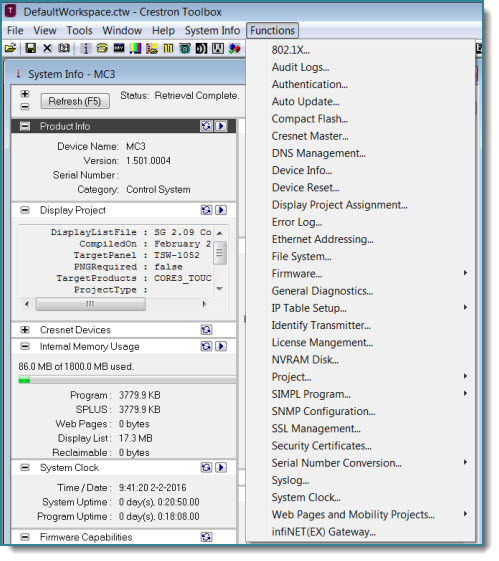
The Functions menu or submenu is the central access point to all the functionality a device supports. You can always determine the available functions for a device by using the System Info Tool or the Network Device Tree.
Access functions using the System Info Tool
Click
the System Info
button to start the System Info tool.
Open a session with the device.
Click
the Functions menu. The menu
will display all the functions the device supports.
Access functions using the Network Device Tree
Click
the Network Device Tree  button to start the Network Device Tree.
Open a session with the control system or gateway where the device is connected.
Right-click
the Network ID of the device and point to Functions.
The submenu will display all the functions the device supports.
 Click here for
links to all device functions
Click here for
links to all device functions
More