Click the Enable Auto-Run check box to enable auto-run mode: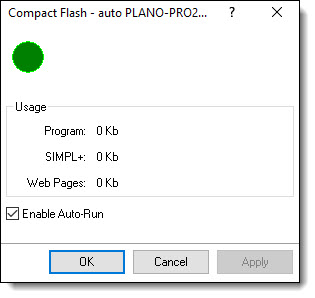
Use this function to view the status of the Compact Flash slot.
If a card is installed the dialog will show the amount of Compact Flash memory being used for the SIMPL program, SIMPL+ modules and Web pages.
Click the Enable Auto-Run check box to enable auto-run mode:
Enable Auto-Run: 2-Series Control Systems Only
The Enable Auto-Run option is available on only 2-Series Control Systems.
When in auto-run mode, the control system will automatically reset and run the Compact Flash program when the Compact Flash card is inserted into the CF slot. If the Compact Flash is removed, the program in internal Flash will automatically run.
When auto-run mode is turned off, a Program Reset must be sent to the control system after the Compact Flash card is inserted or removed to run the program.