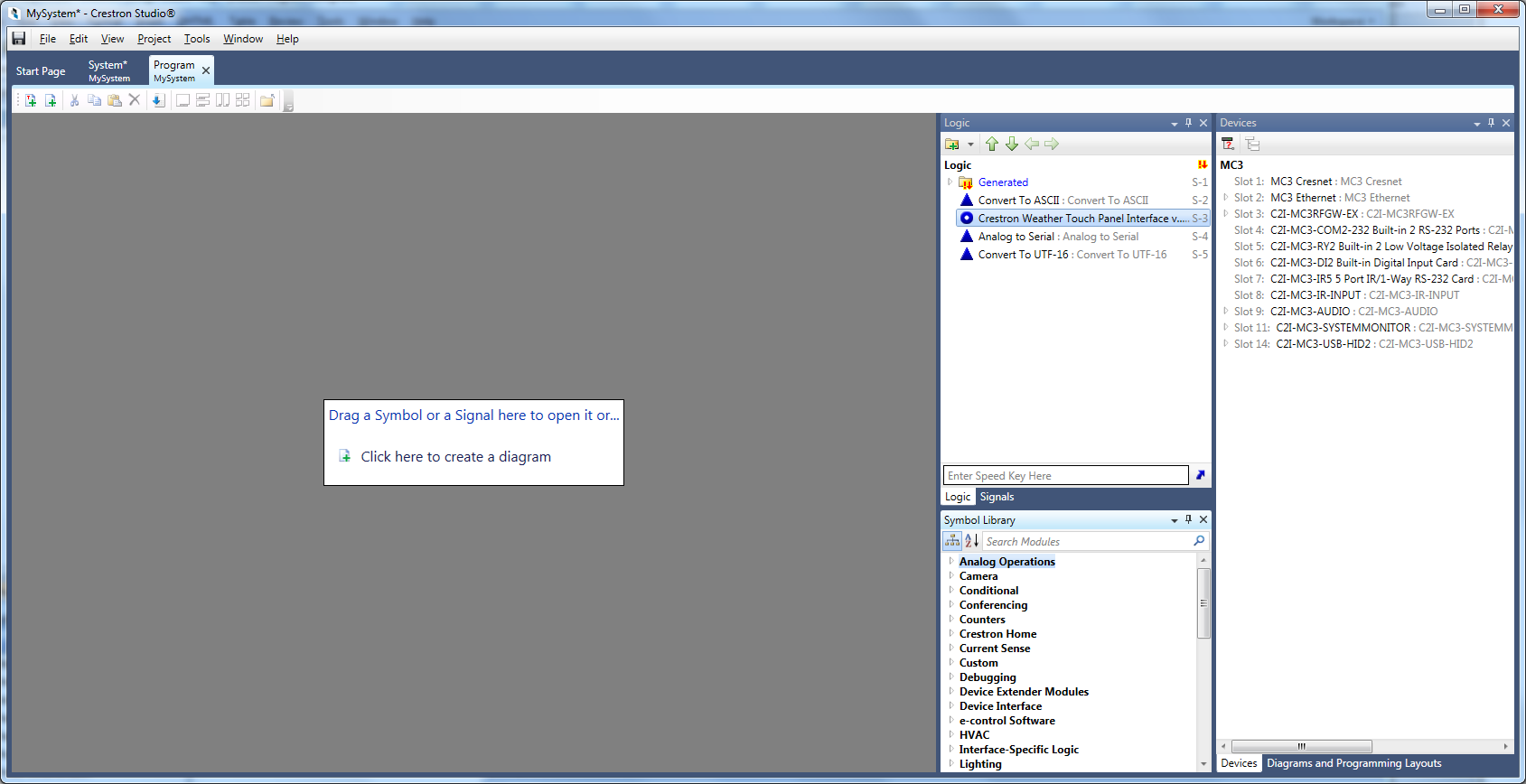
The Program Designer is a symbol-based graphical programming environment, similar to the older SIMP environment. It is made of an area (on the left) called Workspace where Diagrams and Trace windows can be added, and 5 Tool Windows - Logic Explorer, Signal Explorer, Device Explorer, Symbol Library and Output Window. Any of the individual Tool Windows or all of them can be open or hidden and each of the tool windows can be manipulated in various ways to adjust the available Workspace to fit your needs and preferences.
Double-clicking on OR dragging and dropping a symbol, signal, or a device slot/subslot to the Workspace area opens the symbol/signal/slot into a new Symbol Editor.
To open a new Symbol Editor
Double-click on the symbol/signal/slot in Logic/Signal/Device Explorer to add it to the Workspace. Note that each new instance of a symbol/signal/slot will be open in a new separate Symbol Editor.
- OR -
Drag and drop the desired symbol/signal/slot. If the symbol is already open in a tab, the tab will come into focus. Note that each new instance of a symbol/signal/slot will be open in the same tab (Tab Reusing).
The set of tabs along the bottom of the Workspace is called a tab groups; and the area to the right form the right most tab is called tab well.
Note that dragging and dropping into a tab well creates a new instance of a Symbol Editor, while dragging and dropping onto a tab itself replaces the contents of the tab with the dragged item.
More: