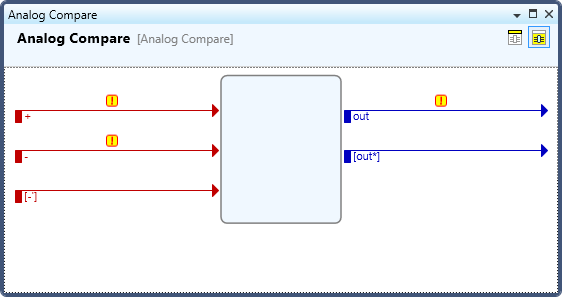
The Symbol Editor is a special tool window which displays the graphic representation of a symbol. The Symbol Editor could be floating in or out of the application window or it can be docked in the Workspace.
Title Bar (not applicable when the Symbol Editor is docked):
The title bar shows the user-given name of the symbol, which is defaulted to the type of the symbol.
Use the icons on the right hand side of the title bar to manipulate the way Symbol Editor looks:
to Dock, Float or Close it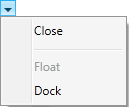
to maximize it  to fit the screen size. Note that double-clicking on the title bar is a shortcut to maximize it to take up the entire screen size. Double click on the title bar again to return to its previous size.
Header:
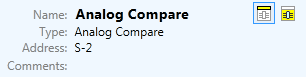
The Header of a Symbol Editor lists information about:
the name of the symbol/signal/slot
its type
its address in the program
any comments about this element.
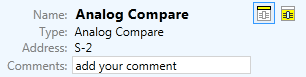
The Header is editable - you can rename the symbol or add your own comments by double clicking the symbol name or the area next to the Comments field respectively:
To Collapse/Expand the Header click on the Collapse Header/Expand Header  icon in the upper right corner of the Symbol Editor.
To navigate in the Symbol Editor (especially in large symbols) use the mouse scrollwheel, or the combination of keypad buttons + mouse scrollwheel described below:
Pressing  + scrollwheel – Scrolls a page (screenful) of information at a time for each ‘notch’ of the wheel.
No modifier keys – Scrolls up/down the symbol.
More:
Expansion and Contraction of Argument Lists
Cut/Copy/Paste and Copy/Paste Symbol Programming