Smart Fill
The Smart Fill dialog provides is a convenient way
to generate and connect signal names to selected inputs OR outputs (but
not both at the same time).
The Smart Fill dialog
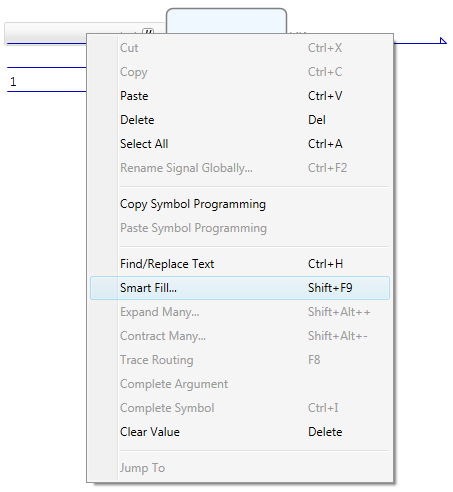
opens when you select one or more signals and either press 

 ,
or choose Smart
Fill... from the context menu.
,
or choose Smart
Fill... from the context menu.
Additionally, Crestron Studio®
supports the 
 / shortcut
keys to display the Smart Fill dialog and give focus to the Suffix/Prefix
text field. In this way you can quickly add common pre-defined suffixes
or prefixes you frequently use in a program.
/ shortcut
keys to display the Smart Fill dialog and give focus to the Suffix/Prefix
text field. In this way you can quickly add common pre-defined suffixes
or prefixes you frequently use in a program.
Depending
on whether there is an existing signal name on the selected (or on the
first of multiple selected) signal(s), different options will be displayed
for generating the signal names in the Smart Fill dialog.
If there is no existing name for the selected signal(s)
the Smart Fill dialog will present the following options:
-
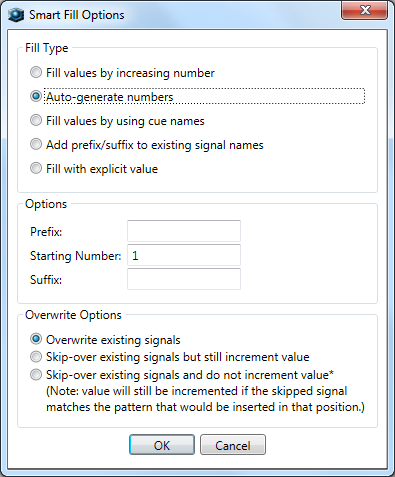
Auto-generate
numbers: - Type either a prefix or suffix and optionally a
starting number in the corresponding text fields. By default, Starting
Number is set to 0.
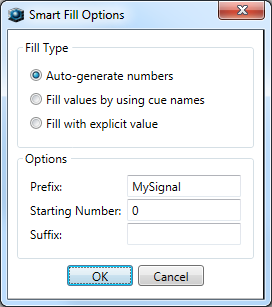
For example, entering MySignal
in the Prefix field will generate the following signals: MySignal1,
MySignal2, ... MySignalN,
where N is the number of selected signals.
-
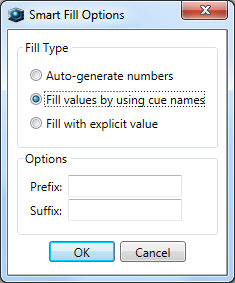
Fill values
by using cue names: Generated signal names will consist of
the cue name + prefix or suffix entered in the corresponding text
fields, if any.
-
Fill with
explicit value: Each selected signal will be named exactly
as the text entered in the Explicit Value field, for example: MySignal.
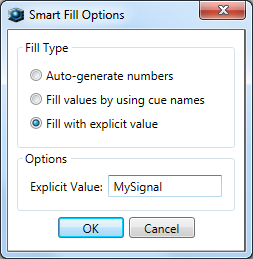
For example, when entering MyValue
in the Explicit Value text field will assign the define MyValue
as the name for all selected signals.
If the selected signal(s) already have names assigned,
the Smart Fill dialog presents the following options:
-
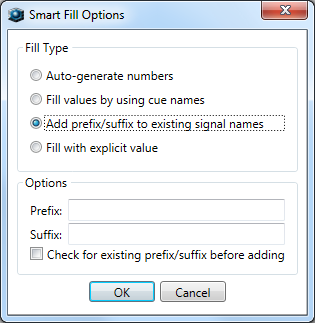
Add prefix/suffix
to existing signal names: Use this option to rename existing
signal names by adding a prefix or suffix prepended/appendde
to existing signal names.
-
Fill values
by increasing number:
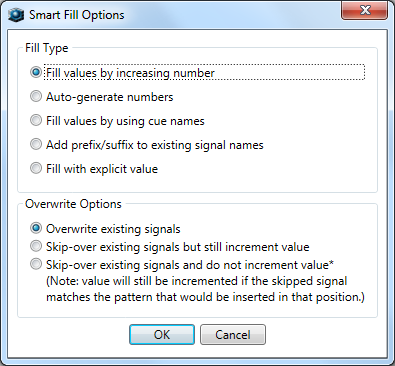
Choose the 'Overwrite existing signals' option to overwrite any existing
selected signals. Choose 'Skip-over existing signals but still increment
value' to keep the names of existing signals without change but append
an incremented number to any unnamed signals.
-
Auto-generate
numbers:
-
Fill values
by using cue names: Generated signal names will consist of
the cue name + prefix or suffix entered in the corresponding text
fields, if any.
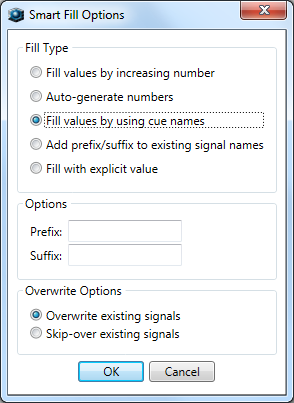
Choose the 'Overwrite existing signals' option to overwrite any existing
selected signals. Choose 'Skip-over existing signals' to keep the
names of existing signals without change.
-
Fill with
explicit value: n
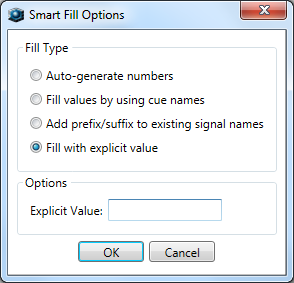
Note that by not entering value in the Explicit Value is a quick way
to clear all selected signals.