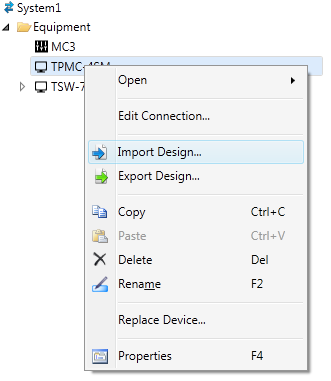
Select the touch screen in the System Tree of System Designer®, right-click on it, and then select Import Design...
In the Select File to Import dialog box, browse to the location where the design file is stored. Note that when importing touch screen design created in Crestron Studio®, the type of touch screen for which the design was originally created doesn't have to match the touch screen type/model to which the design will be imported.
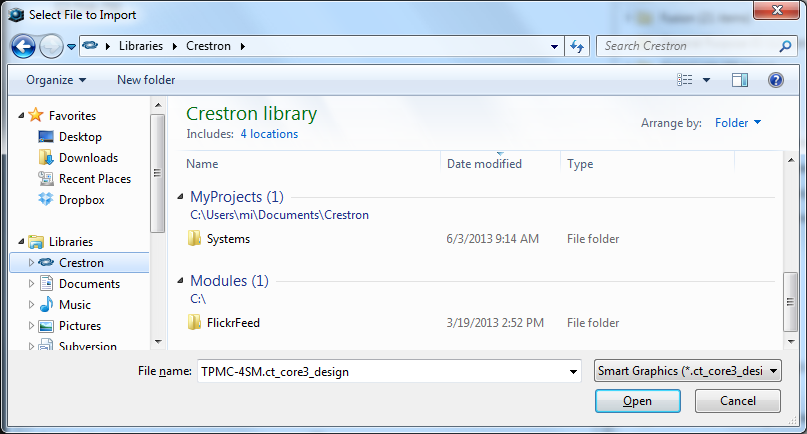
Each time an importable file is selected, it is added to the File Name drop-down list. This makes it convenient to recall recently imported files without need to search for them.
Select the desired file to import. If necessary change the file extension to match the extension of a touch screen design exported from Crestron Studio® (Smart Graphics - .ct_core3_design):

Note that the default file extension is set to All Importable Files.
Press the Open button.