Crestron's MyCrestron Monitoring Service allows users to centrally monitor and manage a device in the Crestron Cloud. Enabling a Cloud Connection permits the MyCrestron Monitoring Service to retrieve and submit program archives, device status and connection information from the device. This is a continual transmission of data from the applicable device to servers located at Crestron facilities and/or to cloud-based, each located in the United States of America (USA).
To Enable A Cloud Connection
Use the System Info Tool to connect to the applicable device.
From the Functions menu, select Device Info... Function.
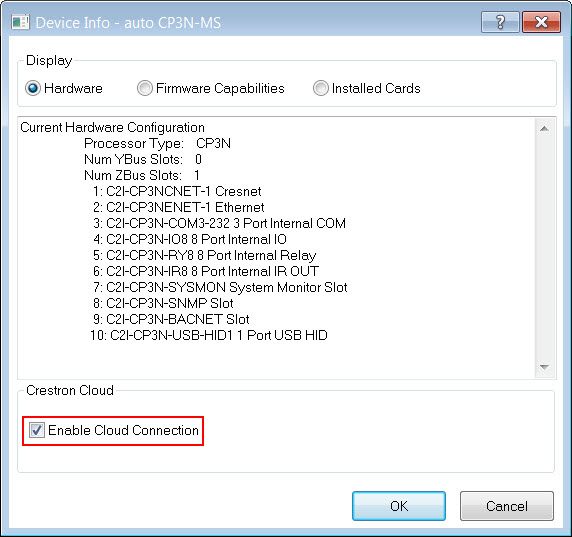
In the DeviceInfo dialog box, navigate to Crestron Cloud group box and select the Enable Cloud Connection check box:
Click the OK button.
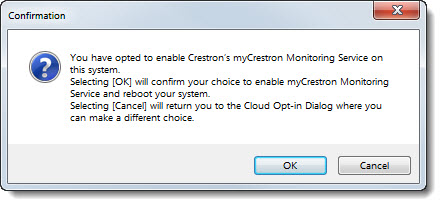
NOTE: This will reboot the system/device:
To Disable A Cloud Connection
Use the System Info Tool to connect to the applicable device.
From the Functions menu, select Device Info... Function.
In the Device Info dialog box, navigate to Crestron Cloud group box and un-check/de-select the Enable Cloud Connection check box:
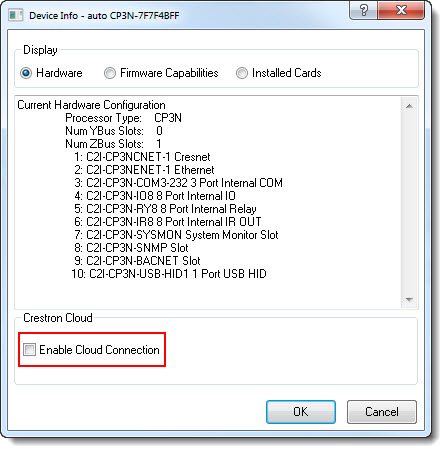
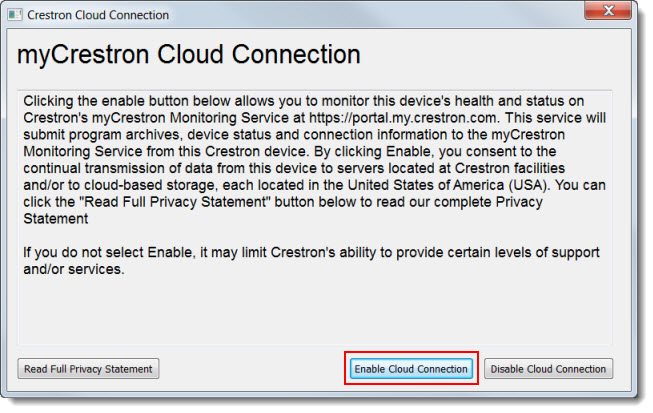
Click the OK button. In the Crestron Cloud Connection dialog box, select the Disable Cloud Connection button:
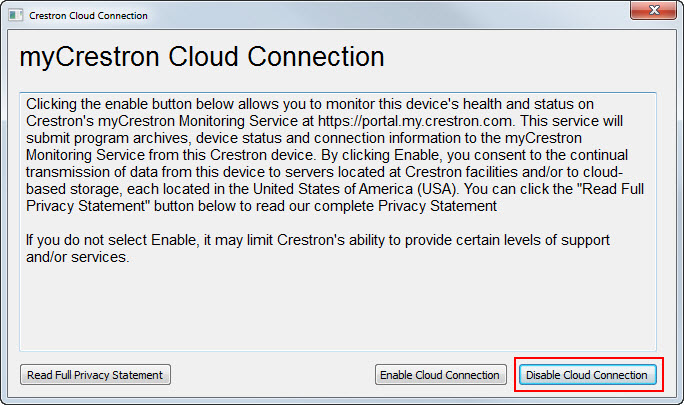
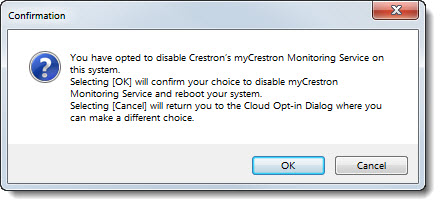
NOTE: This will reboot the system/device: