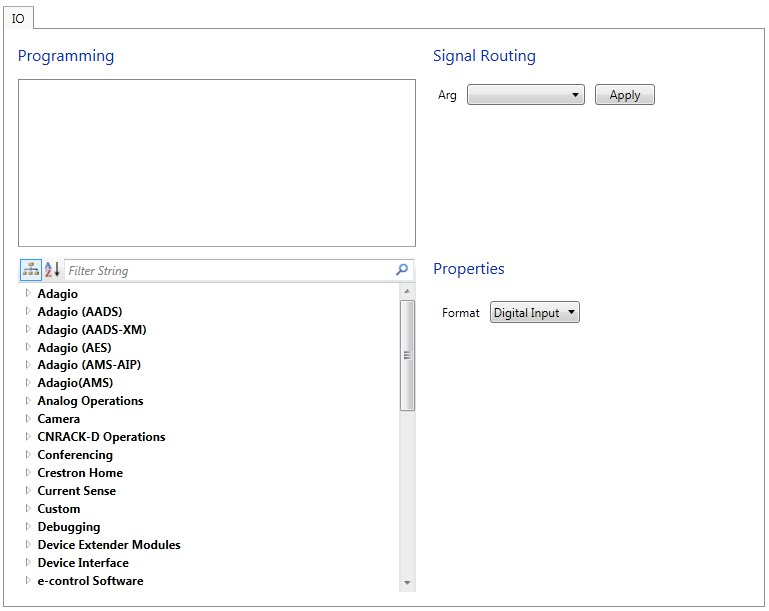
Select a module from the bottom left pane and double click on it to add the module to the Programming Pane on top. Most User Devices are represented by a single module, however more complex representations are possible.
Select the module in the Programming Pane. Choose an argument from the Arg[ument] drop-down list.
Select the desired format from the Format drop-down list. Options: Non-dim and Relay
Press Apply to save the setting.