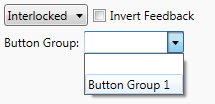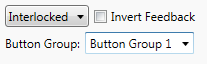
You can create groups of interlocked buttons so that they can display interlocking feedback. Note that button groups are local to each device.
To define a button group
Click in the Button Group field and type a new button group name to
create a new group, for example called Button Group 1.
To delete a button group
Deleting a button group from all buttons that are using it will remove the button group from the list of available groups.
To add a button to a button group
Click the button and select a group from the Button Group list. This
will assign the current button to the selected Button group. Repeat this
procedure for each button that you wish to assign to that group.