
Crestron Studio® supports inclusion of user-added Fusion symbols (Fusion Node, Fusion Room, etc) into a Crestron Studio® system for easy integration with Crestron Fusion®.
When a Crestron Studio® program containing user-added Fusion symbols is uploaded to a control processor, Crestron Fusion® is able to detect the symbol information residing in the control system and import that information into its database, creating corresponding Rooms and Nodes as they are found in the Crestron Studio® program.
If the same Crestron Studio® program containing user-added Fusion symbols is uploaded to multiple control processors, Crestron Fusion® may not import the correct information as Crestron Fusion® uses unique identifier for each Fusion symbol in the program to identify and associate the reading with the correct Fusion asset.
To resolve this issue Crestron Studio® support a mechanism for Instance ID/GUID regeneration for any user-added Fusion symbols encountered in the program that may be used on multiple control processors. This ensures that Crestron Fusion® will recognize the user-added Fusion symbols found on a second (third, etc.) control processor as new program objects and will add them to the Crestron Fusion® database.
When a user-added Fusion Node or Fusion Room symbol is added to the system in Crestron Studio® the Current EM System drop-down box is added to the toolbar of Program Designer:
Initially, the Current EM System drop-down box displays only a Default EM system. For each control processor to which the program will be uploaded, create a new EM system and regenerate the Instance ID/GUID of the user-added Fusion symbols.
NOTE: Names of the EM systems are not displayed in Crestron Fusion®. They are used for organizational purposes only.
To do so:
Click the down arrow of the Current
EM System drop-down box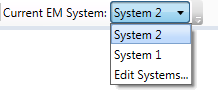
Select Edit Systems...
Manage EM Systems in the Energy
Management Systems dialog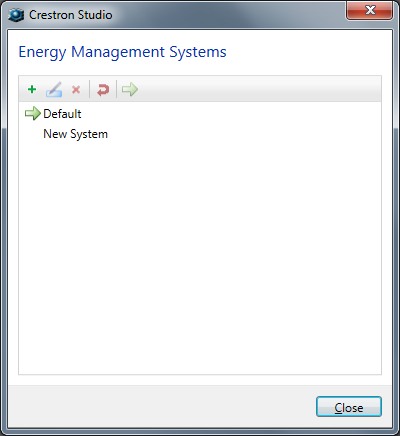
To create, rename or delete EM System
To create a new EM System, click on the  icon in the toolbar
of the Energy Management Systems
dialog.
icon in the toolbar
of the Energy Management Systems
dialog.
In the Add New System dialog
box, type a name for the new EM System and then click OK.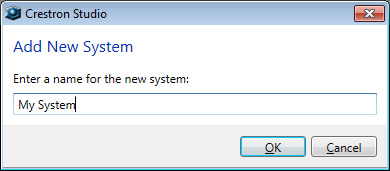
To rename an EM System,
select the system and press 
-or-
Click on the  icon.
icon.
In the Rename dialog box, type
a new name for the new EM System and then click OK
to rename the system.
To delete an EM
System, select the system, and then press 
-or-
Click the  icon in the toolbar. In the Delete
System dialog box, click the Yes
button.
icon in the toolbar. In the Delete
System dialog box, click the Yes
button.
To make a system current
 icon in the toolbar.
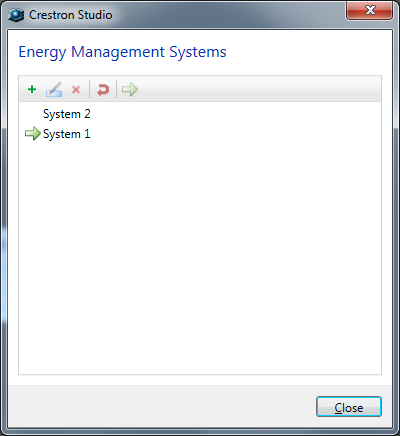
To regenerate GUIDs for the selected system:
 icon
in the toolbar.
icon
in the toolbar.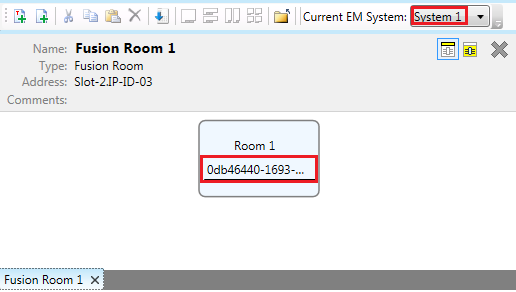 | 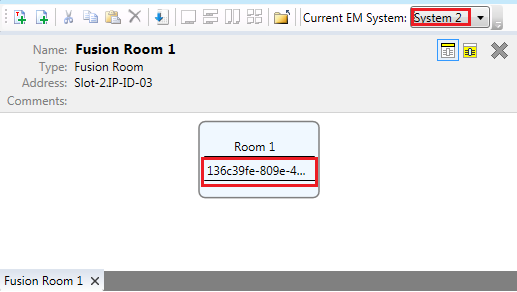 |