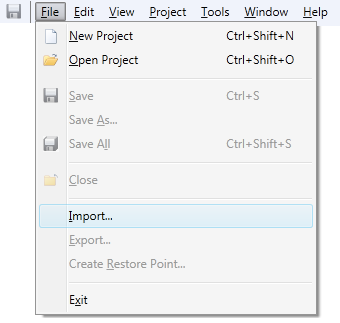
Click Import...
on the File menu
The Import Files Dialog opens:
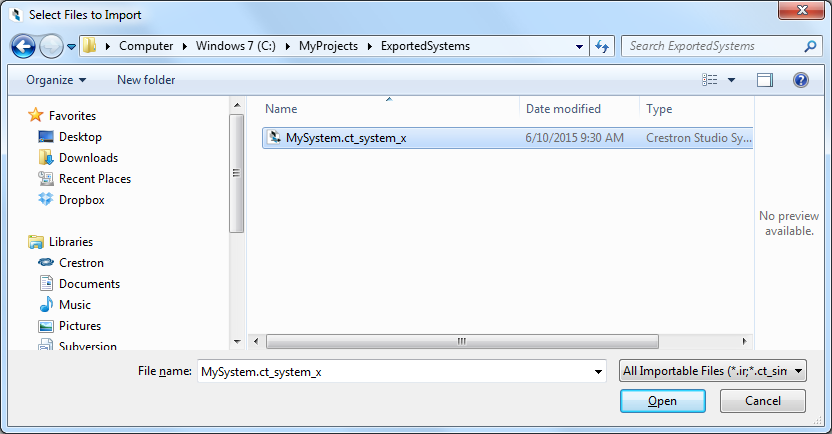
Navigate to the System Project file (.ct_system_x) you wish to import. To locate the desired file you may need to:
Crestron Studio® allows you to extract and open archived System Projects you have checked out from a source control system, received from a co-worker, etc.
To import a Crestron Studio® System Project follow the steps outlined below:
Click Import...
on the File menu
The Import Files Dialog opens:
Navigate to the System Project file (.ct_system_x) you wish to import. To locate the desired file you may need to:
Access a different folder, library or device
Change the file view type to Thumbnails, Tiles, Icons, List or Details
List the File Name that can be selected
Filter the extensions of the displayed files
Click Open to import the selected System Project file.