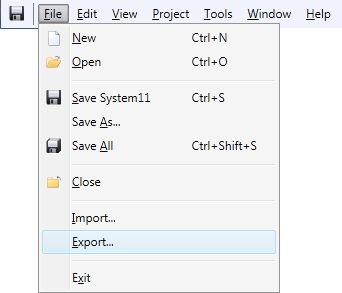
Click Export...
on the File menu
The Files
to Export Dialog opens:
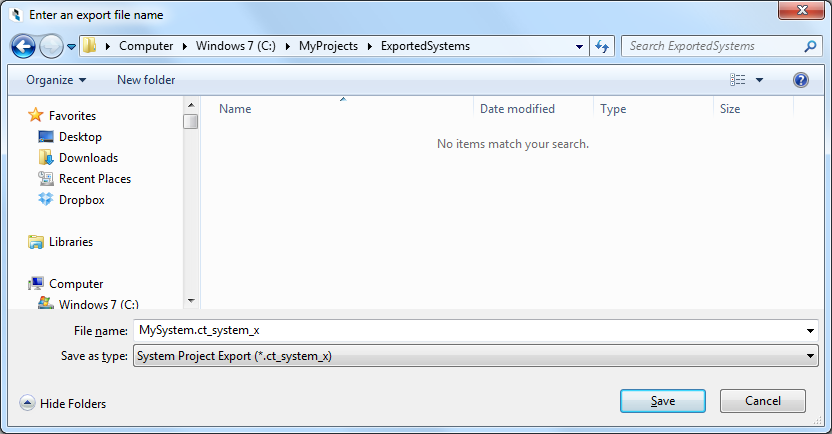
Navigate to location where you wish to save your System Project file. You may also need to:
Crestron Studio® allows you to "archive" your System Projects into a single archive file with the .ct_system_x extension, for use with a source control system, safe-keeping, etc.
To export a Crestron Studio® System Project follow the steps outlined below:
Click Export...
on the File menu
The Files
to Export Dialog opens:
Navigate to location where you wish to save your System Project file. You may also need to:
Access a different folder, library or device
Create a New folder
Change the file view type to Thumbnails, Tiles, Icons, List or Details
Change the default File Name for the System Project file
Click Save to export your System Project file.