Select the touch screen in the System Tree of System
Designer®, right-click on it, and then select Export
Design...
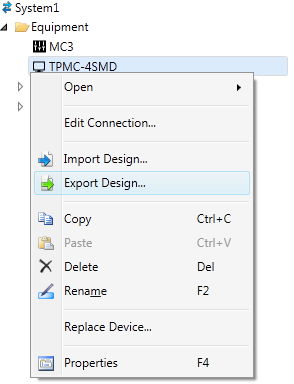
In the Select File to Export
dialog box, browse to the desired file location to which the design
will be exported.
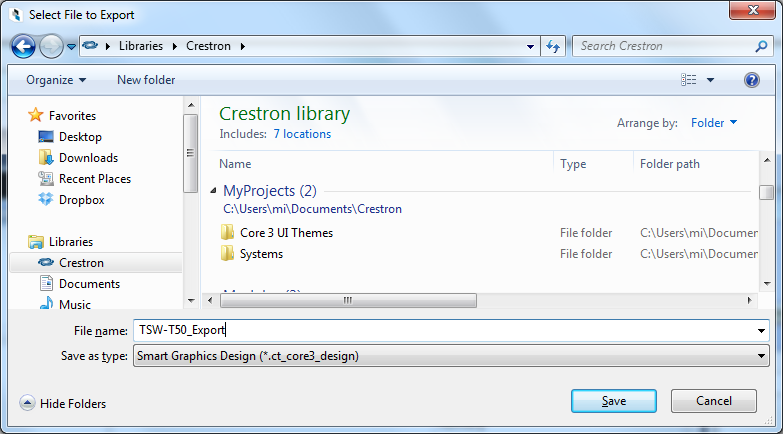
Enter a valid file name in the File name text field.
-or-
Click on the File name drop-down
arrow to choose from a list of recently exported projects.
Press the Save button. The exported touch screen design is saved in a file with the .ct_core3_design extension.